Supermarket apps are used daily — which means friction compounds fast. Sunnybee Market had an existing app that worked, but felt outdated, cluttered, and far behind where users' expectations had moved. I redesigned the entire product: audit, strategy, design system, and full UI across nine functional modules — including an AI visual search, AI meal planning, voice shopping assistant, and in-app wallet. The result is a modern, high-frequency shopping experience built for the way people actually shop today.
The short version
🌿 Product Sunnybee Market — a supermarket app serving busy professionals, parents, and health-focused Gen Z across India | 👥 Buyers Three segments with distinct needs: professionals (speed), parents (planning), Gen Z (personalization and discovery) |
⚠️ Core Problem An outdated app with cluttered navigation, a 7-step checkout, generic recommendations, and no AI — creating churn risk against Blinkit, Zepto, and Swiggy Instamart | 🔀 Key Decision Introduced AI-powered features — voice assistant, visual search, AI meal planning, smart reorder — as first-class surfaces, not buried settings |
✅ Outcome Checkout reduced from 7 to 4 steps; AI features in primary discovery positions; reorder widget live on home screen; scalable design system across 50+ screens | 🎨 Scope End-to-end: UX audit, competitor analysis, design system built from scratch, 9 complete user flow modules |
The app completed orders. It didn't earn them.
The existing app had friction at every stage: discovery broken, search text-only, checkout requiring 7 steps, loyal users rebuilding their cart from scratch on every visit, and zero AI integration while competitors treated it as a first-class feature. In a market where users keep 4–5 apps installed and switch on a single bad experience, the cost of friction compounds fast.
Three user segments — one app serving all three:
Busy working professionals — Fastest possible checkout, one-tap reorder. Time is the scarcest resource; every extra step is a reason to open Blinkit instead.
Parents — Meal planning support, scheduled delivery slots. The ability to plan ahead reduces cognitive load — and parents who plan have the highest basket sizes and repeat purchase rates.
Health-focused Gen Z — AI meal suggestions, visual search, high personalization. Experience quality matters as much as selection.
UX audit — eight failure areas: Outdated visual design · cluttered navigation · 7-step checkout · generic recommendations with no behavioral basis · text-only search · no reorder flow · low-quality product imagery · zero AI integration.
Constraints:
📱 Mobile-only — every decision optimized for thumb-zone and one-handed use
🇮🇳 Indian market — regional conventions and language support required
🏪 Large catalogue — UI had to scale across fresh produce, packaged goods, and meals
🤖 AI features needed to feel native — not bolted-on or experimental
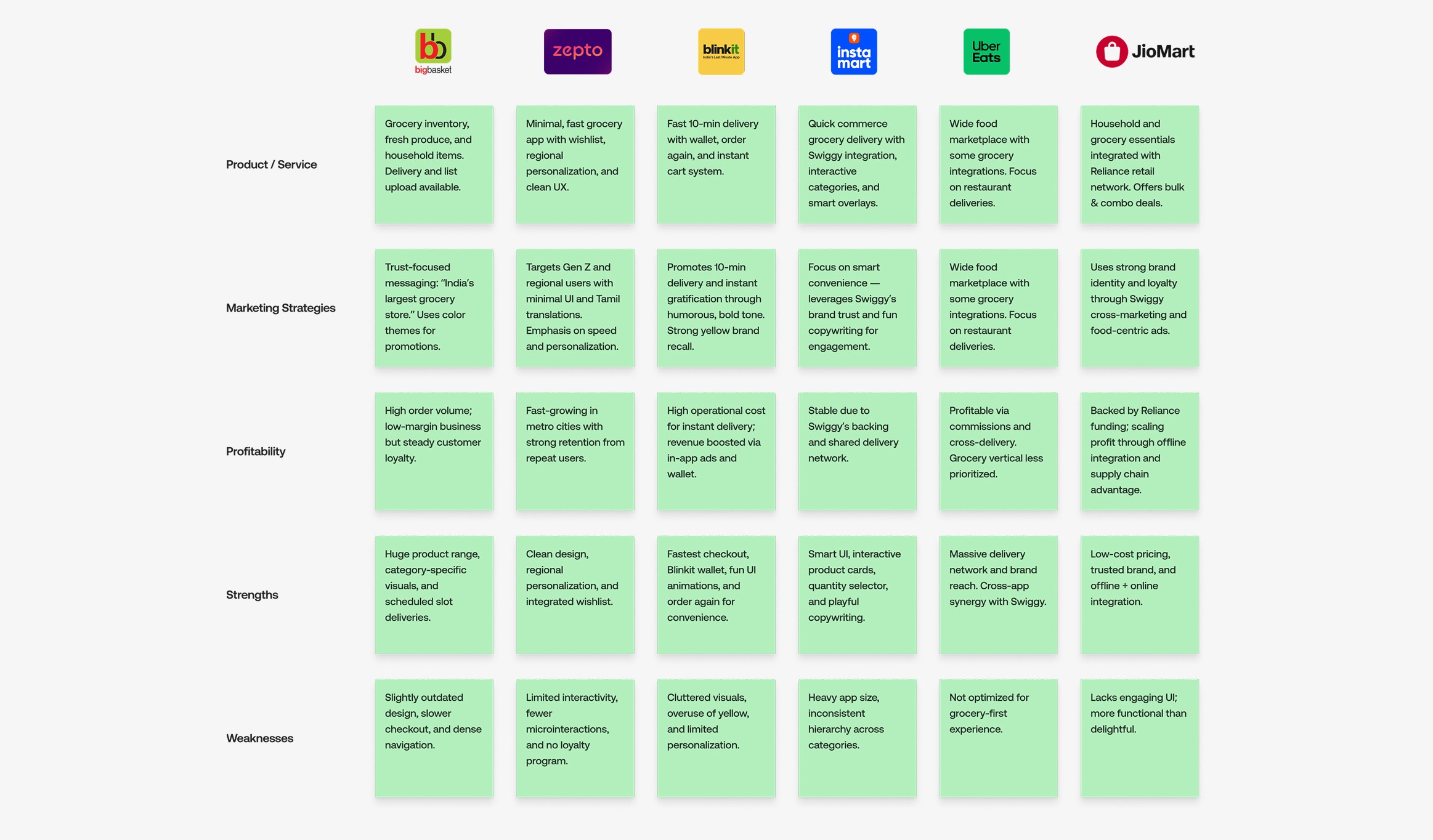
Competitive research — live usage across five apps
I used Blinkit, Zepto, BigBasket, Swiggy Instamart, and Dunzo live, supplemented with Play Store review mining. The patterns that most directly shaped the redesign:
In-app wallets (Blinkit, Zepto) — Pre-committed wallet balance reduced checkout drop-off. Users with loaded wallets completed purchases faster.
"Order Again" (BigBasket) — The highest-engagement feature among returning users, buried in order history. The feature worked; the placement killed it.
Persistent cart visibility (Blinkit, Swiggy Instamart) — A floating cart bar in the thumb zone reduced abandonment. Users who could see their cart state deferred checkout less.
Visual search (Zepto, BigBasket) — Existed but lived in settings. Near-zero discoverability, near-zero adoption. Users who found them loved them. Most never found them. This pattern defined the most important placement decision in the redesign.
Feature strategy — three tiers before any wireframes
Core (reduce friction): Product browsing, smart search, wishlist, cart, checkout, coupons, delivery scheduling
AI differentiators: Voice shopping assistant, Visual product search, AI meal planning
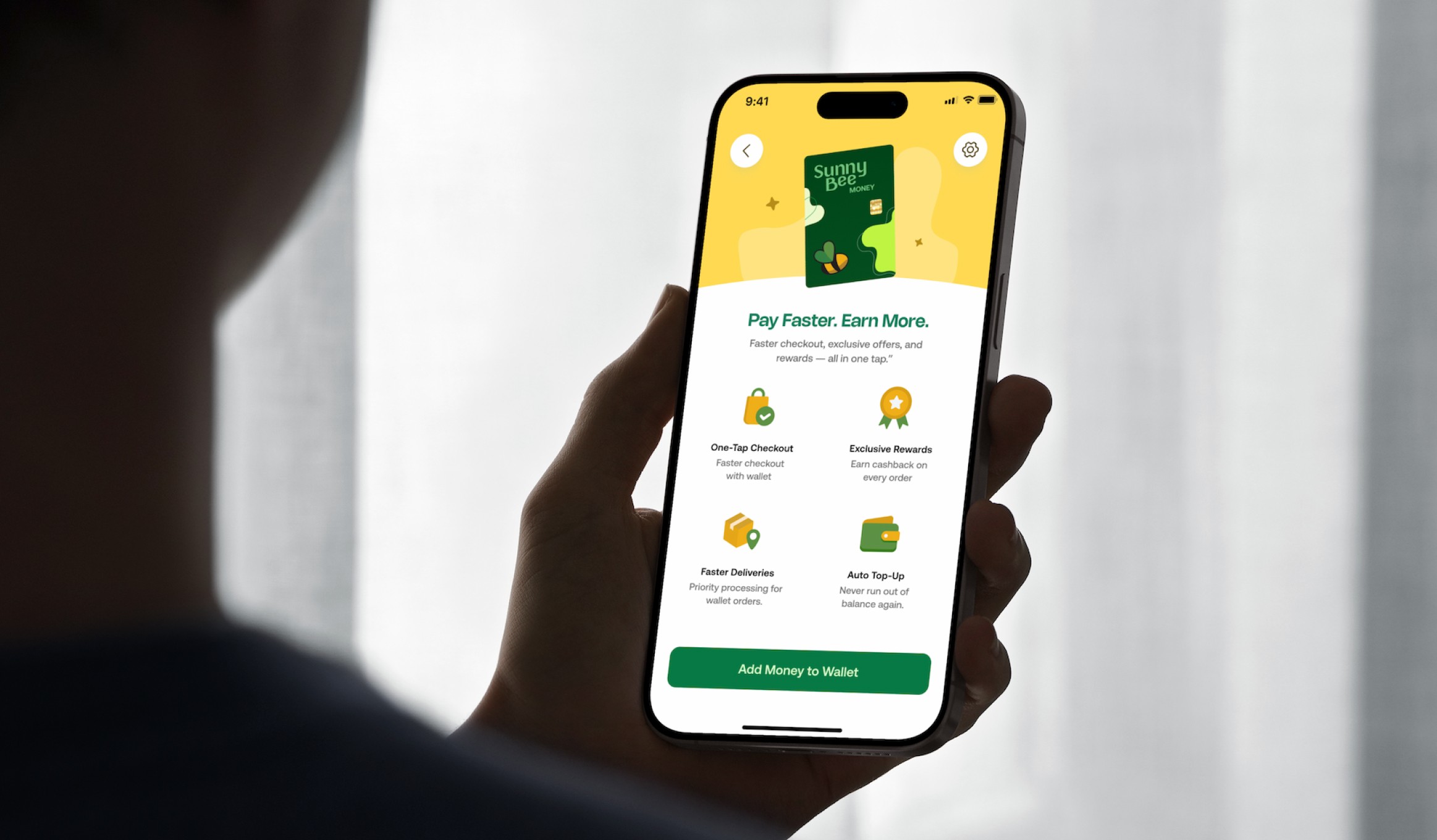
Retention: One-tap reorder, Sunnybee Money wallet, real-time order tracking
Five design principles — locked before any screen
Speed is the UX — The redesign is measured in steps removed, not features added.
AI must be discoverable — No AI feature lives behind a settings menu.
Fresh food deserves premium presentation — Produce imagery drives impulse purchase.
Design for the repeat user — Every screen should get faster with use, not just usable on first contact.
One thumb, one screen — All primary actions reachable from the bottom half of the screen.
A complete design system — typography scale, color tokens, 8px grid, component library, 30+ custom icons — was built before the first module screen. With 50+ screens in 4 weeks, consistency at scale was impossible without it. Every screen after was assembly, not design from scratch.
The home screen that had too many ideas
My first home screen surfaced everything above the fold: featured banners, AI shortcuts, category grid, recommendations, and a reorder widget — all competing for the first viewport. Wireframe review showed the opposite of what I expected: trying to serve everyone served no one. The AI features — the redesign's primary differentiator — were visually lost among promotional banners. We were solving a discoverability problem while recreating it on the most important screen in the app.
Nine modules. One coherent experience. Five AI features discoverable from session one.
Five key design decisions:
1 — AI as first-class navigation, not secondary settings Voice search was placed inside the search bar — the highest-frequency surface in the app. Meal planning and Smart shopping list got a dedicated card below search and categories in Home screen. AI features with zero discoverability have zero retention impact. Competitors had these features; Sunnybee now has them where users find them on first open, not the fifth.
2 — Persistent floating cart bar A bar showing item count, total, and "Go to Checkout" sits above the bottom nav throughout browse — appearing after the first item is added. Checkout is always one tap away. The mechanism is simple; the behaviour it prevents (adding to cart, getting distracted, never returning) is one of the highest-volume abandonment patterns in grocery e-commerce.
3 — Delivery slot selection as the first checkout step The existing app defaulted to fastest delivery, burying scheduling post-checkout — hostile to parents and planners, the segment with the highest basket sizes. Slot selection is now step one: express users get "fastest available" and skip in one tap; planners get the feature that makes Sunnybee worth switching to. One structural change, both segments served.
4 — AI Meal Planning as a full purchase funnel Other grocery apps treated meal ideas as editorial content — inspiring but disconnected from shopping. The Sunnybee flow closes the inspiration-to-purchase gap in a few taps: AI plan → ingredient review → add to cart → checkout. Users who plan meals buy more consistently — this turns a content feature into a basket-size driver with a measurable outcome.
5 — Design system before any screen The existing app's inconsistency was a system failure — every screen designed in isolation. I built the full system first: typography, color tokens, spacing grid, component library, 30+ icons. Zero component drift across all 9 modules.
The 9 module flows:
Core: Product Browsing & Add to Cart · Search & Wishlist · Buy Now & Schedule Delivery · Reorder, Checkout, Coupon & Payment
AI: Shop by Meals & AI Meal Planning · AI Visual Product Search · AI Voice Shopping Assistant
Retention: Sunnybee Money · Real-Time Order Tracking
How the redesign serves each segment: Busy professionals get the home screen reorder widget and 4-step checkout. Parents get scheduling as step one and AI Meal Planning turning meal ideas into a full cart in two taps. Gen Z get visual search, AI meal suggestions, and a design system that makes the app feel like it belongs in the same category as the apps they benchmark everything against.
Project scope: 9 modules · 5 AI features as first-class surfaces · 50+ screens · checkout 7→4 steps · 4 weeks solo.
Four structural outcomes:
Checkout friction cut nearly in half — 7 to 4 steps. Fewer steps at checkout is the single strongest predictor of completion rate in grocery e-commerce.
AI surfaced on first open — Voice search was placed inside the search bar. Meal planning and Smart shopping list got a dedicated card below search and categories in Home screen. Competitors had these features buried; Sunnybee now has them where users actually find them.
Reorder for the weekly shopper — Home screen widget gives returning users a one-tap path to their last cart. Previously required navigating order history.
Foundation for future features — The design system means future screens build consistently without resetting.
What I designed to be measured:
Checkout completion rate — targeting 15–20% improvement from the step reduction
AI activation — 30%+ of weekly active users try voice or visual search within 3 sessions
Reorder widget usage — 40%+ of returning users within 30 days
Meal plan cart conversion — percentage of users who view a plan and add all ingredients
What I learned: The UX of AI is almost entirely about expectation management and failure state design — not the AI capability itself. A voice search that works 80% of the time is a 20% frustration machine if the failure state isn't handled. I now design error states first, then build back to the happy path.
What I'd do differently: Conduct a moderated usability session per user segment before handoff. The three segments have meaningfully different interaction speeds and feature priorities — testing across all three would have validated whether the home screen hierarchy serves each or primarily serves the majority at the others' expense.
What I'd add next: (1) A/B test the meal planning entry point — home screen widget vs. bottom nav tab. (2) A "Smart Refill" push notification — AI-predicted, based on consumption patterns — extending the retention loop from reactive reorder to proactive reminder before the user opens a competitor app.